Site inspection
Riverside House
123 Maple Avenue, Brooklyn, NY 11201

- Date
- May 6, 2024
- Inspector
- Jordan Lee
- Report #
- INS-2024-0187
- StructurePassed
- ElectricalReviewed
- Follow-upRequired
Document automation
Design your template once. Automatically generate branded documents from your spreadsheets, apps, or AI assistant.
15 documents / month · Free forever · No credit card
Riverside House
123 Maple Avenue, Brooklyn, NY 11201
Bill toAcme Studio456 Creative Blvd
Brooklyn, NY 11201
team@acmestudio.com
| Description | Qty | Unit price | Amount |
|---|---|---|---|
| Luna Lounge Chair | 2 | $450.00 | $900.00 |
| Arc Floor Lamp | 1 | $200.00 | $200.00 |
| Cove Side Table | 1 | $100.00 | $100.00 |
Subtotal$1,200.00
Tax (0%)$0.00
Total$1,200.00
Prepared forAcme Studio456 Creative Blvd, Brooklyn, NY 11201
team@acmestudio.com
Date
May 6, 2024
PR-2024-0034
Design and develop a modern, performant website that reflects your brand and converts visitors into customers.
| Design & Discovery | $2,500.00 |
| Development | $7,500.00 |
| Content Migration | $1,000.00 |
| Total | $11,000.00 |
|---|
Prepared forForma Studio456 Creative Blvd, Brooklyn, NY 11201
team@acmestudio.com
Date
May 6, 2024
PR-2024-0035
Design and develop a modern, performant website that reflects your brand and converts visitors into customers.
| Design & Discovery | $2,500.00 |
| Development | $7,500.00 |
| Content Migration | $1,000.00 |
| Total | $11,000.00 |
|---|
Prepared forOrbit Labs456 Creative Blvd, Brooklyn, NY 11201
team@acmestudio.com
Date
May 6, 2024
PR-2024-0036
Design and develop a modern, performant website that reflects your brand and converts visitors into customers.
| Design & Discovery | $2,500.00 |
| Development | $7,500.00 |
| Content Migration | $1,000.00 |
| Total | $11,000.00 |
|---|
✓ 3 PDFs generatedHover or tap to fan out
Click the blue buoys to explore
Swipe to explore the documents
Start with your own templateHow it works
One record, from wherever you work.
Your layout, branding, and formatting.
Ready to send, save, or download.
Connect through your API, no-code tools, or AI assistant. Each new record becomes a PDF using your saved template.
01 · Your documents, on autopilot
Stop copying data and fixing layouts for every PDF. Set up your template, send your records, and let ShipPDF handle the repeat work.
Turn catalog data into labels with prices, variants, SKUs, and QR codes. Keep every product consistent with one reusable layout.
See how it worksWhat ShipPDF handles for you
Connect your catalog once. Product photos, names, prices, and variants fill each label from the records you already have.
product.nameCotton shirtPrices stay formatted, and each size, SKU, and barcode keeps its place in the same reusable design.
Generate the catalog’s labels together, with a personalized PDF for every product or variant in the batch.
One reusable template. Fresh data every time.
Turn customer and order data into branded invoices. Calculate totals and let dynamic tables handle the line items for every order.
See how it worksWhat ShipPDF handles for you
Reuse customer and order records to fill names, addresses, and services, instead of typing them into each invoice.
customer.nameAcme Co.Rows repeat for your services, formulas calculate the total, and the table continues when it needs another page.
Generate a personalized invoice for every customer in the batch, using the same template and each record’s details.
One reusable template. Fresh data every time.
Generate address labels with recipient details and barcodes, sized to fit your warehouse workflow.
See how it worksWhat ShipPDF handles for you
Order records fill the recipient, address, and order reference on each label. Map your fields once and reuse the connection.
order.recipientJordan LeeThe page size, address blocks, and order barcodes keep the format you defined in your label template.
Generate the address labels for a dispatch together from your order records, ready for the next fulfillment step.
One reusable template. Fresh data every time.
Put items, quantities, and fulfillment instructions into a clear packing slip for every order.
See how it worksWhat ShipPDF handles for you
Use order data to fill recipient details, products, quantities, and packing instructions for each shipment.
order.reference#1042Each product creates its own row. SKUs stay with their quantities, and the table handles page breaks as the order grows.
Generate a packing slip for every order in the batch, using one consistent layout to accompany each package.
One reusable template. Fresh data every time.
Bring specifications, photos, and descriptions together in a product sheet that’s ready to share.
See how it worksWhat ShipPDF handles for you
Connect catalog specifications, descriptions, and photos to fill a product sheet directly from each product record.
product.modelNS-304One template organizes the images, specification tables, and descriptions, keeping your catalog’s presentation consistent.
Generate a PDF sheet for every catalog record. Reuse the batch whenever your product details change.
One reusable template. Fresh data every time.
Turn findings, notes, and photos into structured reports. Keep a consistent layout for every visit or inspection.
See how it worksWhat ShipPDF handles for you
Turn visit records into a report with the right location, date, findings, and notes, without transcribing them again.
inspection.locationWarehouse · North zoneFindings and notes flow into a reusable structure, with tables and charts that keep a consistent format across visits.
Generate a report for each visit, location, or reporting period in the batch. Every PDF carries its own details in the same layout.
One reusable template. Fresh data every time.
02 · Design it. Refine it. Generate it.
From a reference screenshot to a reusable template. From your data to a finished PDF. Do it all with the AI you already use.
 Claude
 ChatGPT
 Geminiand your own agent
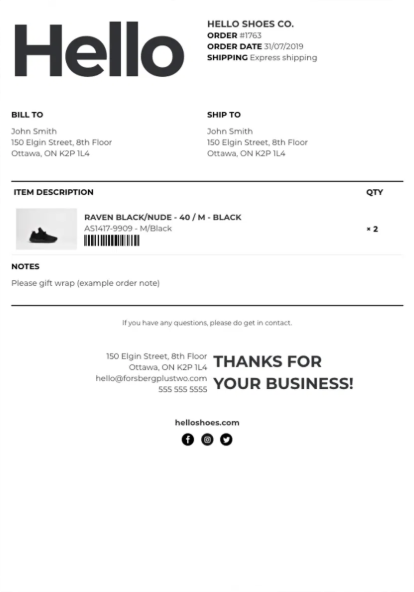
“Create a packing slip based on this reference. Keep the design as close as possible and repeat the products section for each item.”
Read the reference
Recreate the layout with repeating products
Generate the packing slip with your data
 View full size ↗
 View full size ↗
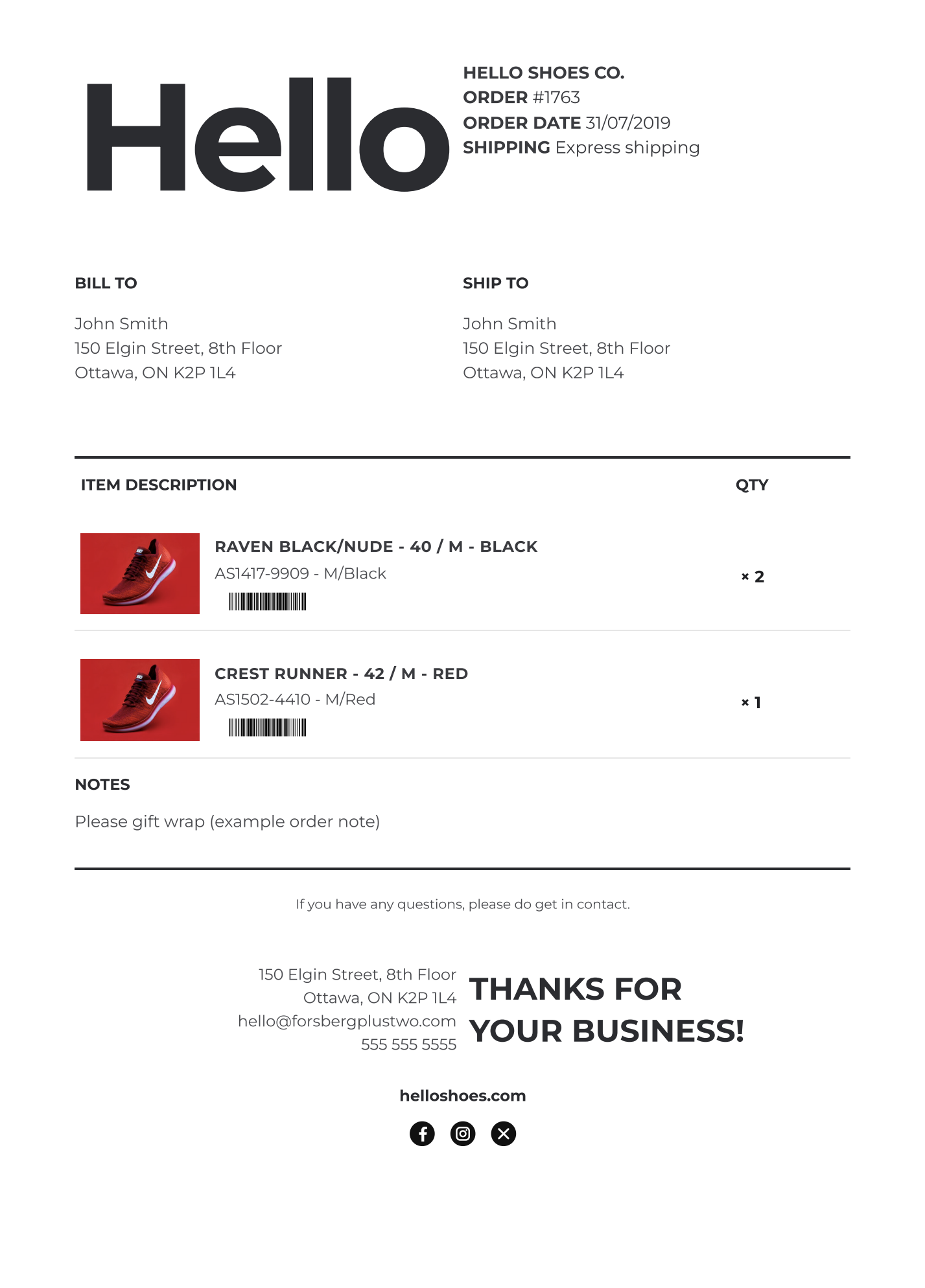
Actual ShipPDF output from the reference shown here. The products section repeats for each item, with product images, quantities, and barcodes.
“Use our brand blue, switch the currency to euros, and add 30-day payment terms.”
Update the brand color
Apply euro formatting
Add the payment terms
Describe what you want to change and let your agent update the template. Fine-tune it in the editor whenever you like.
“Get completed jobs from Airtable and customers from Sheets. Group by customer, calculate totals, and generate an invoice for each.”
Pull from your connected sources
Group records and calculate totals
Generate a PDF for each customer
Group by customerCalculate totalsFormat amounts
Your agent gathers and transforms data from its connected sources. ShipPDF turns it into PDFs using your template.
Design with your agent. Fine-tune in the editor. Reuse in any workflow.
03 · Your template. Your control.
Open any AI-created template in the visual editor. Fine-tune the layout, styling, data, and logic with simple controls. No HTML needed.
Explore the editorFrom a small spacing adjustment to a calculated total, the tools to make every document work the way you need.
Place text and images, adjust typography, and reuse your logos and brand colors.
Text · Images · Brand colorsBind fields and format dates, numbers, and currencies without editing each document.
customer.name → Acme StudioRepeat rows, sum line items, and calculate totals, counts, and averages with formulas.
3 line items → 1 totalAdd scannable codes for your links, SKUs, and order references.
Links · SKUs · ReferencesAdd text fields, checkboxes, and dropdowns that recipients can complete in the PDF.
Text · Checkboxes · DropdownsReuse headers and footers, and let your tables handle page breaks as they grow.
Headers · Footers · Page breaks04 · Ports we call at
Turn data from Airtable, Attio, HubSpot, and the tools you use every day into branded PDFs. One reusable template for every workflow.
Connect your AI (MCP)Create templates and generate PDFs with Claude, ChatGPT, Gemini, or your own assistant.Generate PDFs from records and attach them to your base.
Turn app events into PDFs in your Zaps.
Generate and deliver PDFs in your Make scenarios.
Generate PDFs with an HTTP Request node in your workflows.
Create proposals and invoices from your CRM records.
Generate quotes and invoices from contacts, companies, and deals.
Turn spreadsheet rows into personalized PDFs.
Create a PDF for every form submission.
Generate PDFs from your app with one API call.
05 · Questions from the quayside
AI can be enough for a one-off PDF. For recurring invoices, shipping labels, or packing slips, ShipPDF gives you reusable templates, consistent branding, and formula-based calculations. Connect your data to generate each new document automatically. Your AI assistant can use ShipPDF too, creating templates and generating PDF documents within the same workflow.
It builds finished documents from a template and a set of data. Instead of editing last month's invoice by hand, you mark the parts that change once and they get filled in for every customer, order or month.
Yes. Automate PDF generation with Make or Zapier, or generate documents from your records using the Airtable, Attio, and HubSpot integrations. You can also use the REST API from n8n and your own application.
Yes. Design your template in ShipPDF’s visual editor and use the Brand Asset Manager to add your logos and other brand assets. No HTML required.
Point the row at an invoice template. ShipPDF renders the PDF and writes it back to a field, emails it, or returns a hosted link. Line-item tables handle their own page breaks and running totals.
Yes, and it needs no card. The free tier renders enough to put a real document in front of a real customer. You can go from template design to your first document in about 10 minutes.
06 · Cast off
No card, no demo call. The free tier is enough to make a real customer document.
Create your first PDF free15 documents / month · Free forever · No credit card