Design visually
Drag in text, images, tables, barcodes and QR codes. Arrange your content with rows and columns, and adjust the layout in the inspector.
Explore the elements →Visual template editor
Design in the browser, bind the data that changes and reuse the template. Branded invoices, contracts, labels and reports, without writing HTML.
Free plan. No credit card required.
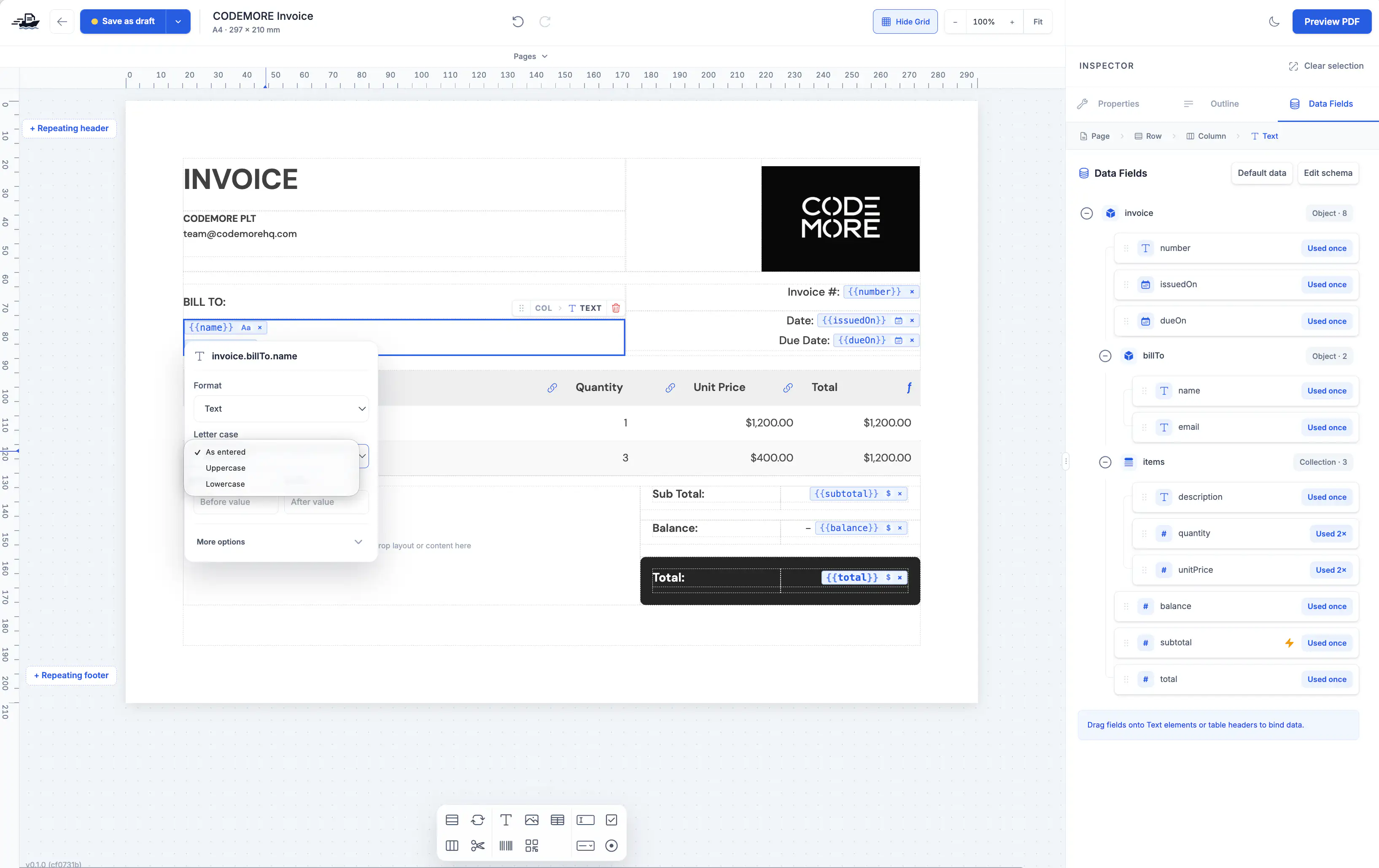
Design and data, together
Drag in text, images, tables, barcodes and QR codes. Arrange your content with rows and columns, and adjust the layout in the inspector.
Explore the elements →Drag a field onto text or a table. Each binding can have its own date, currency and text formatting without changing your source data.
Learn about bindings →Fill table rows from a collection. Add calculations and summaries, and control how content continues across the following pages.
Understand pagination →Reuse logos and images, choose colors and set a consistent layout. Use page sizes suited to reports, certificates or labels.
Explore page sizes →Add text fields, checkboxes, radio buttons and other form elements to create PDFs your recipients can complete.
Explore form fields →Connect an assistant to ShipPDF and ask it to create or adjust the template. Review the layout before publishing a reusable revision.
Connect your assistant →Create the schema and use sample data to design a real document.
Add elements and bindings. Generate a preview and review the content and page breaks.
Publish a revision and generate new documents through the API, your assistant or ShipPDF’s tools.
Create a template for the document you repeat most and use it with every new set of data.