Sales proposals
Combine client details, project scope, and services in one proposal.
Create proposals, quotes, and invoices without copying details out of your CRM. Map attributes and line items to your template, review the data, and save the finished PDF to the record.
Start on the free plan. No credit card required.
 Record data
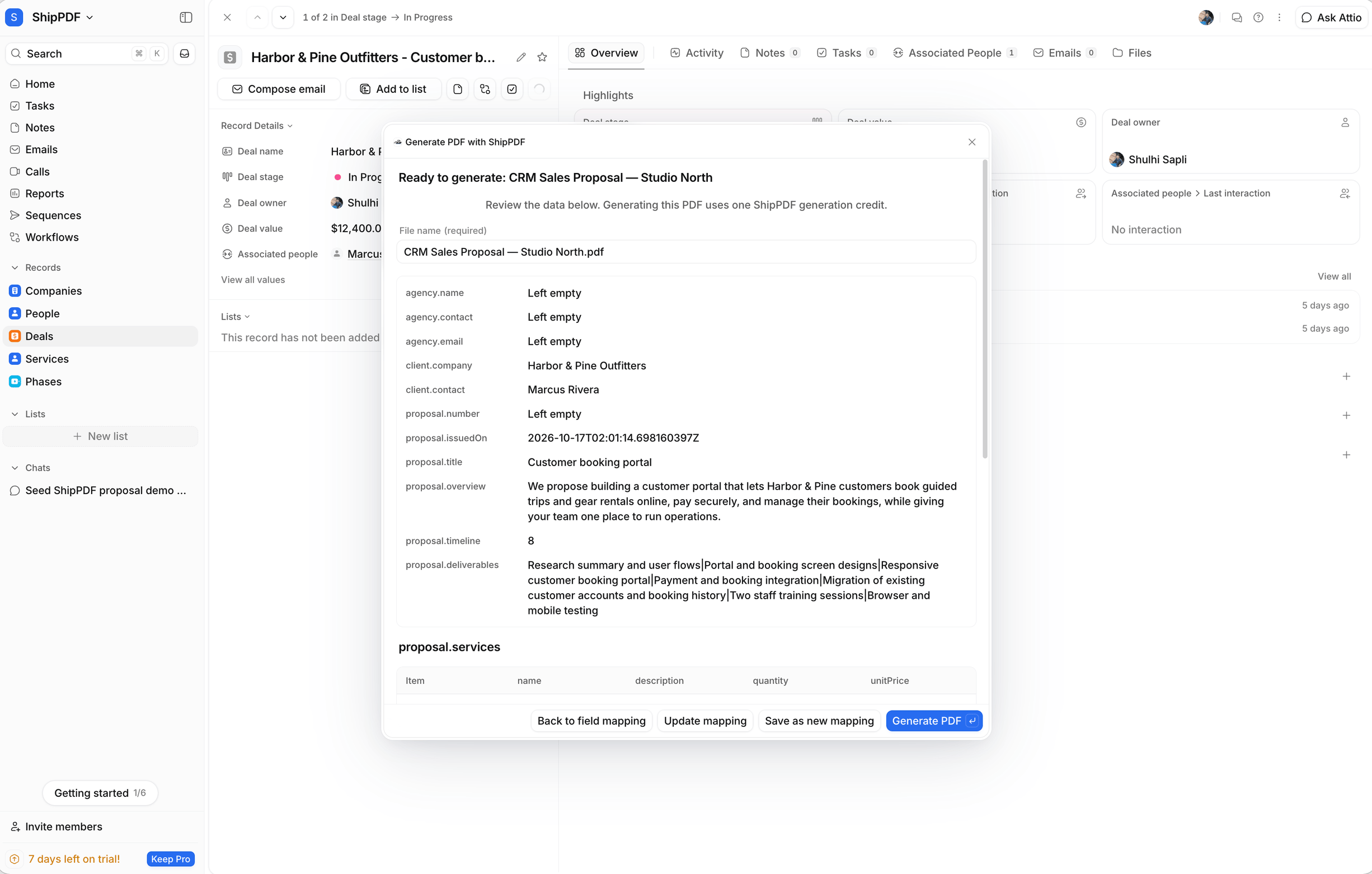
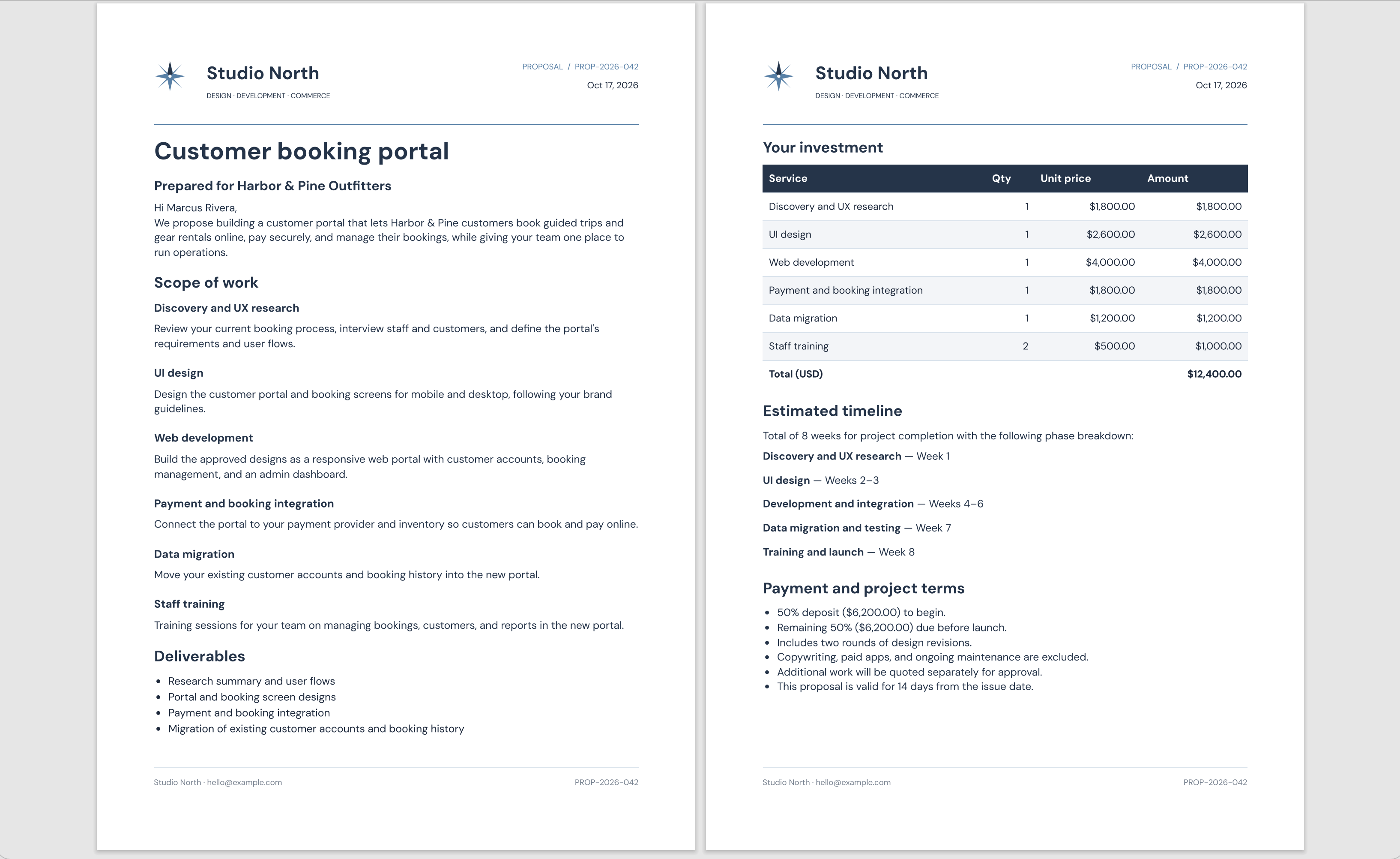
Your CRM data, in a PDF that looks like you.
The full walkthrough
Follow this example workflow to create a sales proposal PDF from an Attio deal, map client details and linked line items, and save the finished document to the record’s Files.
Read the setup guide →01 · What you can create
Combine client details, project scope, and services in one proposal.
Import line items from linked records or enter them by hand.
Reuse your layout and saved field mappings for the next record.
02 · Design once, use again
Open Generate PDF in Attio and use the record’s attributes and linked data.
Save the rules for other records of the same object. Attributes are read again for each new document.
Download the PDF or choose Save to record Files to keep a copy on the original record.
03 · How it works
Design and publish a ShipPDF template with fields that match your CRM data.
An admin connects the workspace. Open Generate PDF on a record and map attributes and line items.
Check the values, generate the PDF, and choose Save to record Files to keep it with the record.
An Attio workspace admin installs ShipPDF and authorizes a shared workspace connection for the team.
Yes. Save a mapping and use it on other records of the same object in your Attio workspace. Review fixed defaults before reusing it.
Yes. Map columns from linked records or enter line items manually.
After generation, choose Save to record Files. Saving is a separate action; you can also download the PDF.
Generate invoices, quotes, and reports from the records you already maintain. Map fields and linked line items to a reusable template, then save each PDF back to Airtable.
Explore integrationCreate branded invoices, proposals, and reports in ChatGPT. Build a reusable template, review the layout, and generate your next PDF with new data.
Explore integrationDesign a template, connect your data, and generate a PDF ready to share.
Start for freeStart on the free plan. No credit card required.

