Invoices
Bring customer details and line items together from linked tables.
Generate invoices, quotes, and reports from the records you already maintain. Map fields and linked line items to a reusable template, then save each PDF back to Airtable.
Start on the free plan. No credit card required.
 Map your fields
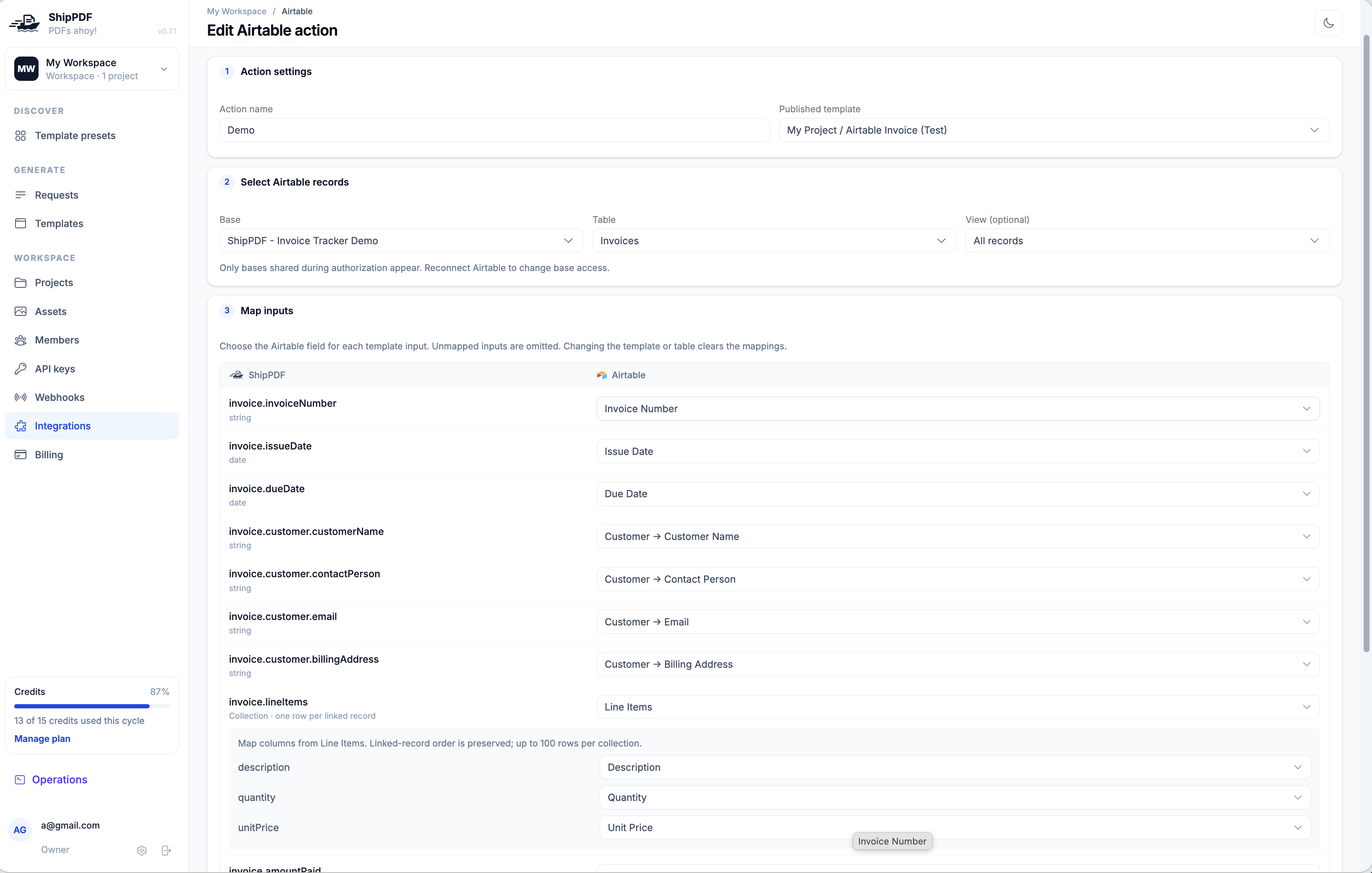
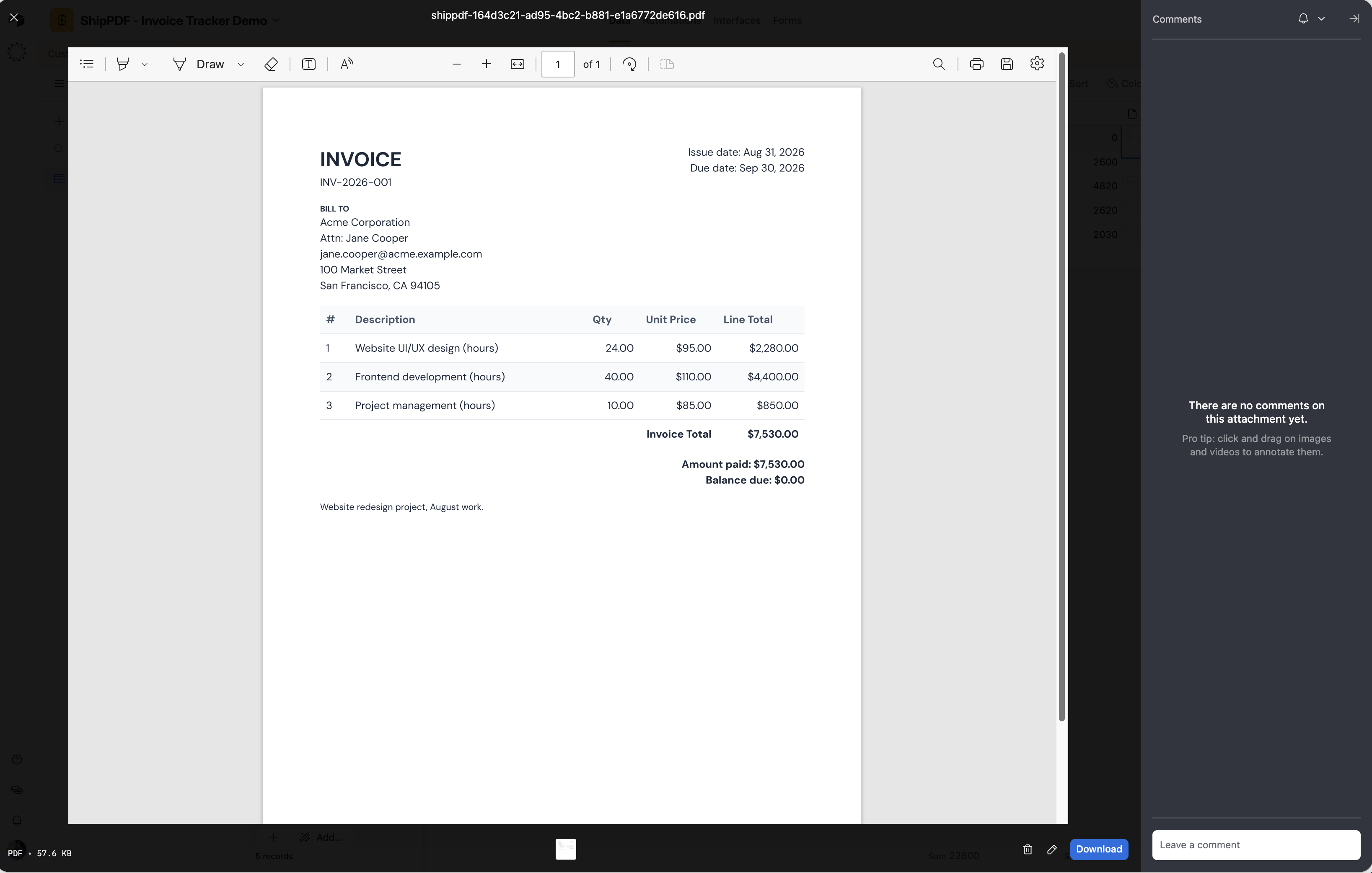
One PDF per record. Filed back in your base.
The full walkthrough
Follow this example workflow to generate invoice PDFs from Airtable records, map customer details and linked line items, and save each finished invoice to an attachment field.
Read the setup guide →01 · What you can create
Bring customer details and line items together from linked tables.
Turn your records into a quote with your own layout and branding.
Create a separate report for each record in a table or view.
02 · Design once, use again
Use linked record fields for customer details and collections for repeating line items.
Keep your template, table or view, field mappings, and output field together in a reusable action.
ShipPDF attaches each PDF to its source record and skips records whose output field already contains files.
03 · How it works
Add your branding, define the fields, and set up repeating line items in ShipPDF.
Authorize Airtable, choose a table or view, and save an action with your mappings and output attachment field.
Start generation from ShipPDF. Records are processed in the background and receive their finished PDFs.
No. Connect Airtable and configure the action in ShipPDF without pasting an API key.
Yes. Map a linked-record field to a collection, then choose the source for each column. Each collection supports up to 100 items.
Yes. An action processes the records in your chosen table or view, generating one PDF for each eligible record.
No. ShipPDF skips records whose output field already contains any attachment. Use a dedicated attachment field for your PDFs.
Create proposals, quotes, and invoices without copying details out of your CRM. Map attributes and line items to your template, review the data, and save the finished PDF to the record.
Explore integrationCreate branded invoices, proposals, and reports in ChatGPT. Build a reusable template, review the layout, and generate your next PDF with new data.
Explore integrationDesign a template, connect your data, and generate a PDF ready to share.
Start for freeStart on the free plan. No credit card required.

