Invoices
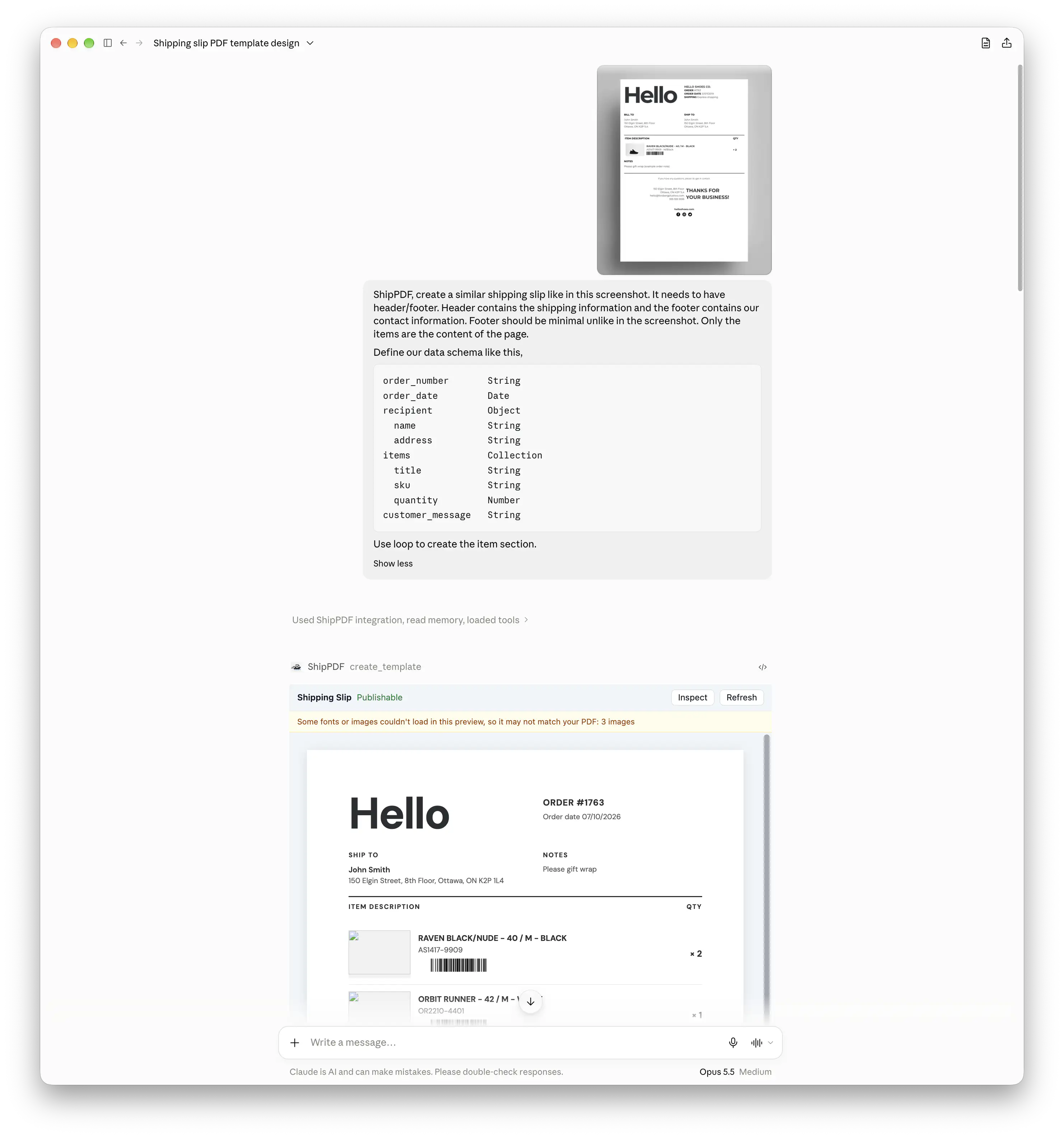
Choose a published template and provide real customer details and line items.
Create branded invoices, proposals, and reports in ChatGPT. Build a reusable template, review the layout, and generate your next PDF with new data.
Start on the free plan. No credit card required.
 ChatGPTShipPDF
 ShipPDFTemplate draft
A conversation. A reusable template. Your PDF.
The full walkthrough
Follow this example workflow to create a packing slip PDF with ChatGPT and ShipPDF, from designing a reusable template to generating the finished document.
Read the setup guide →01 · What you can create
Choose a published template and provide real customer details and line items.
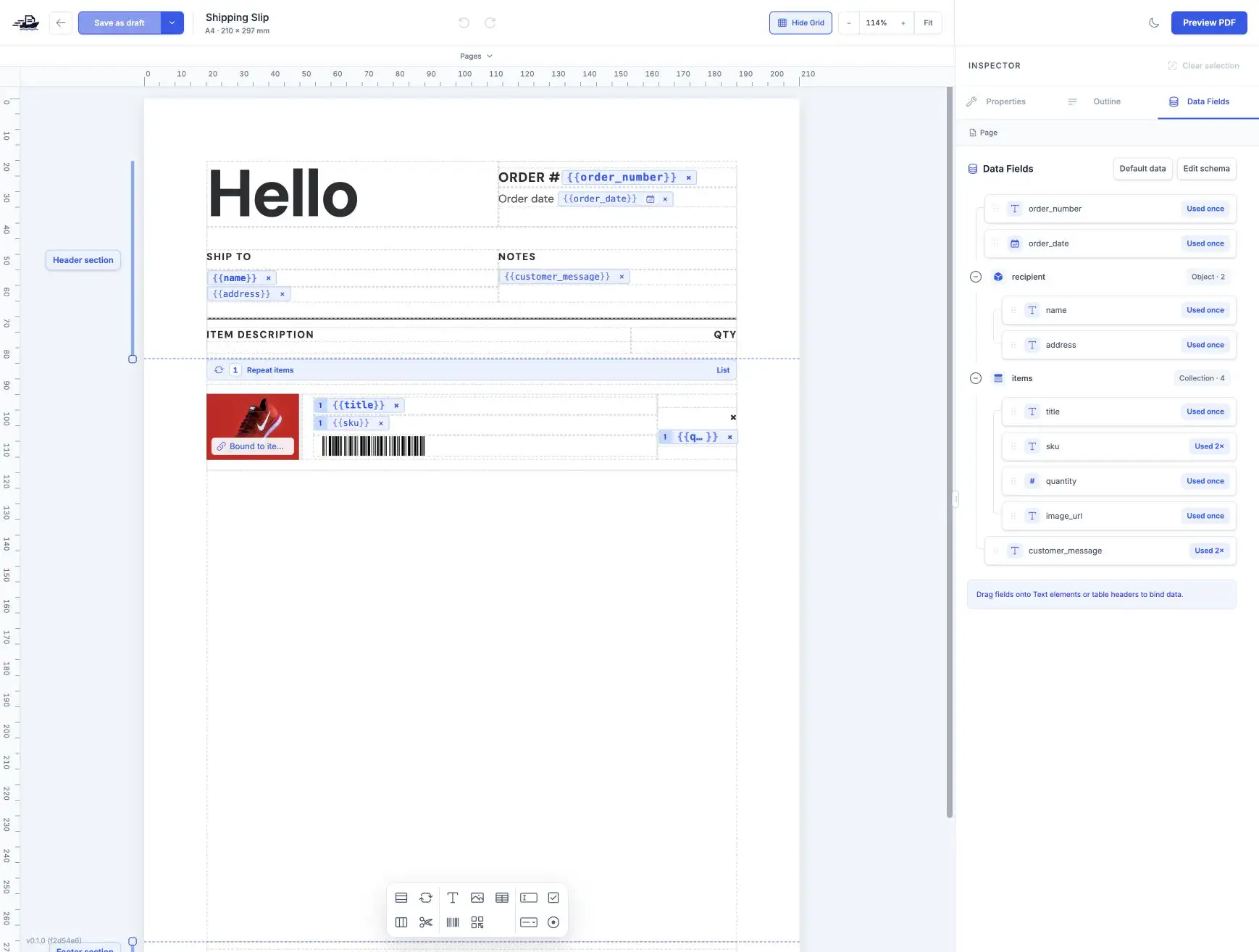
Describe your layout, review a preview, and publish the template when it is ready.
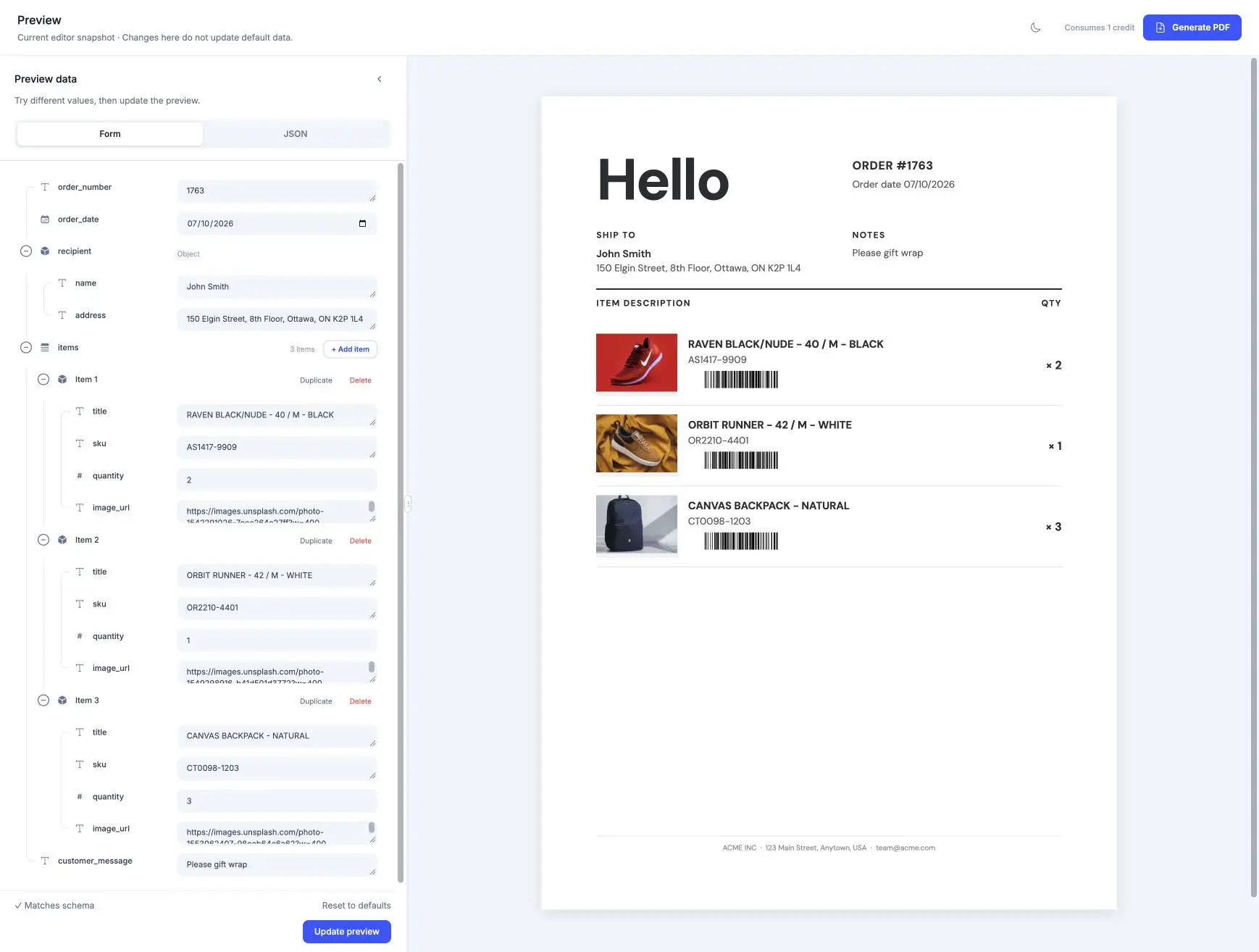
Use the same layout with fresh data for each new report.
02 · Design once, use again
Ask ChatGPT to create a draft in your project and show you a preview to review.
Publish the reviewed template and generate the next document with new data.
ChatGPT can generate the document, check its status, and return a download link.
03 · How it works
Install the ShipPDF plugin in ChatGPT and authorize access to your workspace.
Use a published template, or request a draft, review its preview, and publish when ready.
Give ChatGPT the template and values. Ask it to wait for completion and return the PDF download link.
You can use a published template or ask ChatGPT to create a draft. PDF generation uses a published revision.
Yes. Ask for a preview, request changes, and publish the template when you are happy with it.
A ShipPDF workspace with API access, generation credits, and a published template. Plugin availability depends on your ChatGPT account and workspace policies.
Ask ChatGPT to retrieve a fresh link for the same document. Retrieving an existing PDF does not require generating it again.
Generate invoices, quotes, and reports from the records you already maintain. Map fields and linked line items to a reusable template, then save each PDF back to Airtable.
Explore integrationCreate proposals, quotes, and invoices without copying details out of your CRM. Map attributes and line items to your template, review the data, and save the finished PDF to the record.
Explore integrationDesign a template, connect your data, and generate a PDF ready to share.
Start for freeStart on the free plan. No credit card required.

