Student reports
Combine each student’s details and subject scores in a separate report.
Generate invoices, certificates, and reports from your spreadsheets. Link rows from related tabs, publish a reusable workflow, and download PDFs individually or as a ZIP.
Start on the free plan. No credit card required.
 Your source rows
| Student ID | Student | Class |
|---|---|---|
| STU0001 | Aiman Hakim | 4 Amanah |
| STU0002 | Nur Aisyah | 4 Amanah |
| STU0003 | Daniel Tan | 4 Amanah |
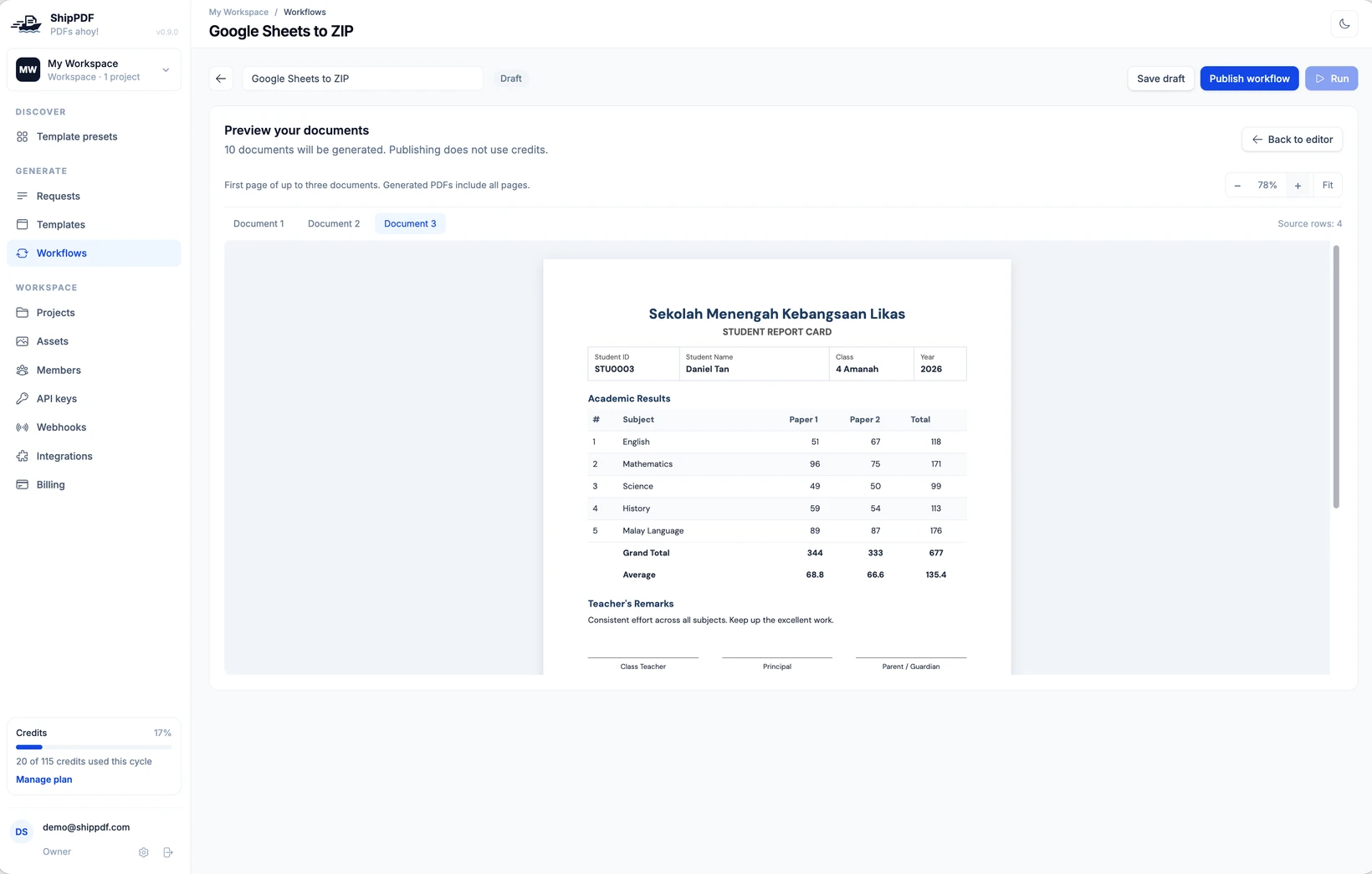
One row. One PDF. All your documents in a ZIP.
The full walkthrough
Follow the student report example: connect Students and Results, map the fields, and download one PDF for each student.
Read the setup guide →01 · What you can create
Combine each student’s details and subject scores in a separate report.
Bring in line items from another tab using a shared identifier.
Generate a personalized certificate for each participant with a published template.
02 · Design once, use again
Link tabs in the same spreadsheet by a shared identifier and include matching rows in a collection.
Set up Google Sheets → Generate PDFs → Create ZIP. Each run reads current spreadsheet values.
Follow background progress and download PDFs with custom filenames, individually or as a ZIP.
03 · How it works
Open Workflows, choose Google Sheets to ZIP, and select the connection, spreadsheet, main worksheet, and rows.
Choose a published template, map columns and related rows, review the preview, and publish the workflow.
Click Run to generate up to 50 PDFs. Open Requests → Batches to download the ZIP or individual documents.
No. Configure the visual workflow in ShipPDF with a Google connection and a published template.
Yes. Link rows within the same spreadsheet using a shared identifier. Each collection supports up to 100 related rows.
Up to 50 documents. Select all rows or a range in the main worksheet; matching related rows are included automatically.
This flow saves PDFs in ShipPDF for individual or ZIP download. It does not upload files to Drive or change spreadsheet cells.
Yes. Each run reads current data and generates new PDFs for the selected rows, using new generation credits.
Generate invoices, quotes, and reports from the records you already maintain. Map fields and linked line items to a reusable template, then save each PDF back to Airtable.
Explore integrationCreate proposals, quotes, and invoices without copying details out of your CRM. Map attributes and line items to your template, review the data, and save the finished PDF to the record.
Explore integrationCreate branded invoices, proposals, and reports in ChatGPT. Build a reusable template, review the layout, and generate your next PDF with new data.
Explore integrationDesign a template, connect your data, and generate a PDF ready to share.
Start for freeStart on the free plan. No credit card required.


