Quickstart using the API
Generate the same invoice as the app guide from your terminal. Start with the published Invoice quickstart template from Create your reusable dynamic template and copy its template ID. Your workspace needs generation credits.
1. Create an API token
In your workspace, open Members & keys and create an API token with
documents:create and documents:read. Make sure its resource access includes
your template. See Authentication for the setup walkthrough
and screenshots.
Set these variables in your terminal, replacing the placeholders with your token and published template ID:
export SHIPPDF_API_TOKEN='YOUR_API_TOKEN'
export SHIPPDF_TEMPLATE_ID='YOUR_PUBLISHED_TEMPLATE_ID'
Treat the token like a password. Keep it out of source control and browser code.
2. Generate a document
Send the template ID and new invoice data to POST /v1/documents:
curl https://api.shippdf.com/v1/documents \
  -H "Authorization: Bearer $SHIPPDF_API_TOKEN" \
  -H "Content-Type: application/json" \
  -H "Idempotency-Key: quickstart-invoice-INV-1043" \
  -d "{
    \"template_id\": \"$SHIPPDF_TEMPLATE_ID\",
    \"expiry_minutes\": 60,
    \"data\": {
      \"invoice\": {
        \"number\": \"INV-1043\",
        \"customer_name\": \"Northstar\"
      }
    }
  }"
A successful request uses one generation credit and returns a document before the PDF is ready. This abbreviated example shows the fields to use next:
{ "id": "doc_example", "status": "queued", "pdf_url": null }Copy the actual id from your response. Retrying the same intended request with
the same Idempotency-Key returns the original document without charging again.
Use a new key when you want a new document, including when you change the data.
This request sets expiry_minutes to 60, so each PDF download link lasts one
hour. Choose an integer from 15 to 10080 minutes (7 days), or omit the field
to use the workspace default, initially 15 minutes. The chosen duration is saved
with the document; changing the workspace default affects future documents.
3. Wait for completion
Set the document ID you received, then fetch its status:
export SHIPPDF_DOCUMENT_ID='YOUR_RETURNED_DOCUMENT_ID'

curl "https://api.shippdf.com/v1/documents/$SHIPPDF_DOCUMENT_ID" \
  -H "Authorization: Bearer $SHIPPDF_API_TOKEN"
If status is queued or processing, wait briefly before checking again.
Stop when it is completed or failed. On failure, inspect failure.code
and failure.message before starting another generation.
On completion, the response contains a signed pdf_url and its saved link lifetime:
{
  "id": "doc_example",
  "status": "completed",
  "expiry_minutes": 60,
  "pdf_url": "https://.../document.pdf"
}
4. Download your PDF
Open the actual pdf_url from your response, or download it from your terminal:
curl --fail --location 'YOUR_RETURNED_PDF_URL' --output invoice-INV-1043.pdfCheck that the file shows Invoice INV-1043 and Customer: Northstar. If the link expires, fetch the same document again to obtain a fresh URL; the new link uses the same saved duration. You do not need to generate another document or spend another credit.
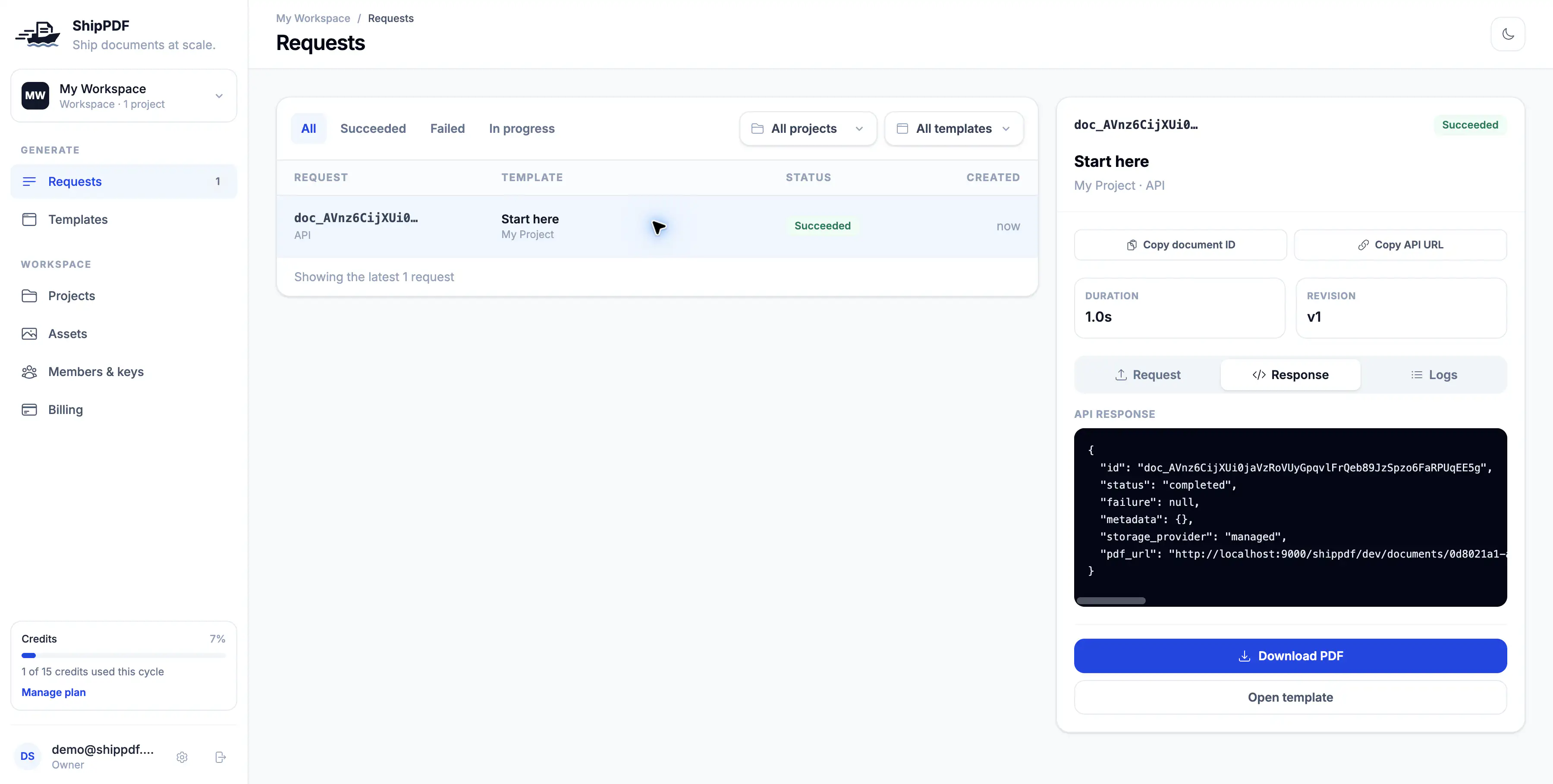
You can also inspect this generation in the app under Requests.
List recent documents
Use GET /v1/documents with documents:read to find recent generations:
curl 'https://api.shippdf.com/v1/documents?limit=15' \
  -H "Authorization: Bearer $SHIPPDF_API_TOKEN"
The response contains a data array and next_cursor. It lists documents newest
first, including queued, processing, completed, and failed results, within
your token’s workspace and resource access. Each item includes created_at;
completed documents include a fresh pdf_url using their saved expiry_minutes.
Read an individual document to retrieve its input data.
The default page size is 15; limit accepts 1–100. If next_cursor is non-null,
pass it as the URL-encoded cursor query parameter to fetch the next page. Stop
when next_cursor is null.
Next steps
For unattended integrations, use a webhook_url to receive completion notifications
instead of polling. See the API reference for full request and response
schemas, webhook behavior, and errors.
You can also generate from the same template using the app or an AI assistant.